
曜
Reading is recognition
The kanji is right in front of you. Your brain only has to say “I know this one.”

Kanji writing practice app
Kibikaku shows you the meaning. You write the kanji from memory, check it against the answer, and spaced repetition (SRS) brings it back right before you’d forget it.

You see 曜 every week in 月曜日 and 金曜日. You’d recognize it anywhere. Could you write it without looking?
The kanji is right in front of you. Your brain only has to say “I know this one.”
There’s nothing to look at. You rebuild every stroke from memory, and that takes its own practice.

Flashcards and multiple-choice apps train recognition. Kibikaku trains recall, the part that lets you write.
A few minutes a day. No multiple choice, no tracing, no hints you didn’t ask for.
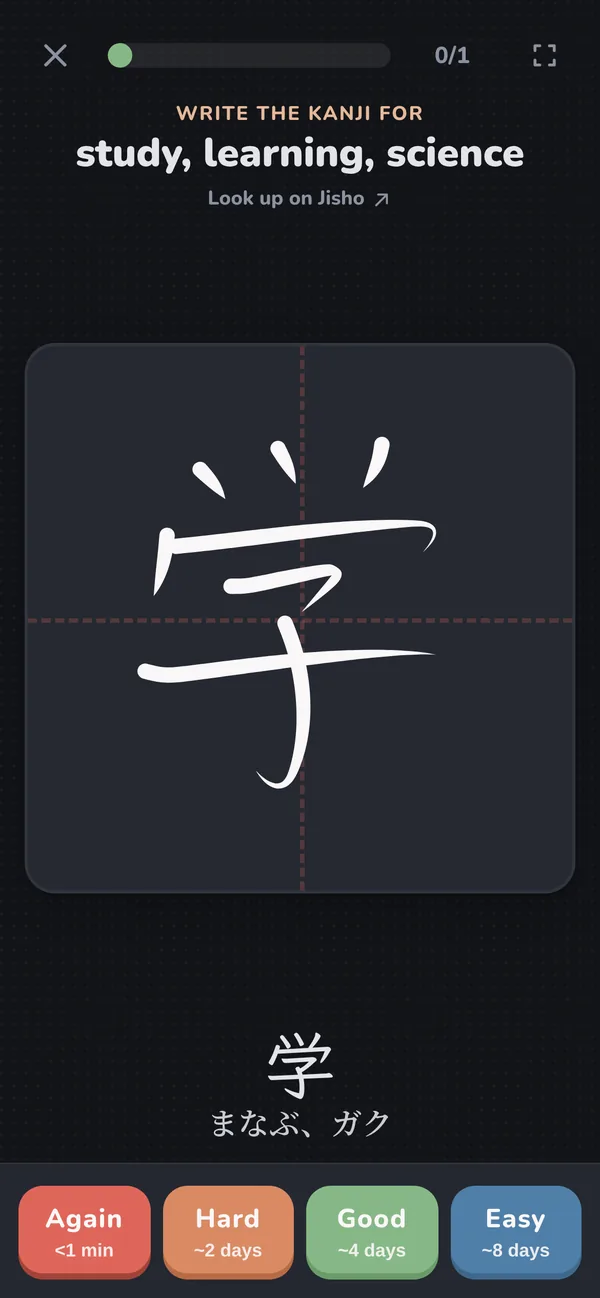
Each card shows what the kanji means. Forgot it? Look it up on Jisho before you write.
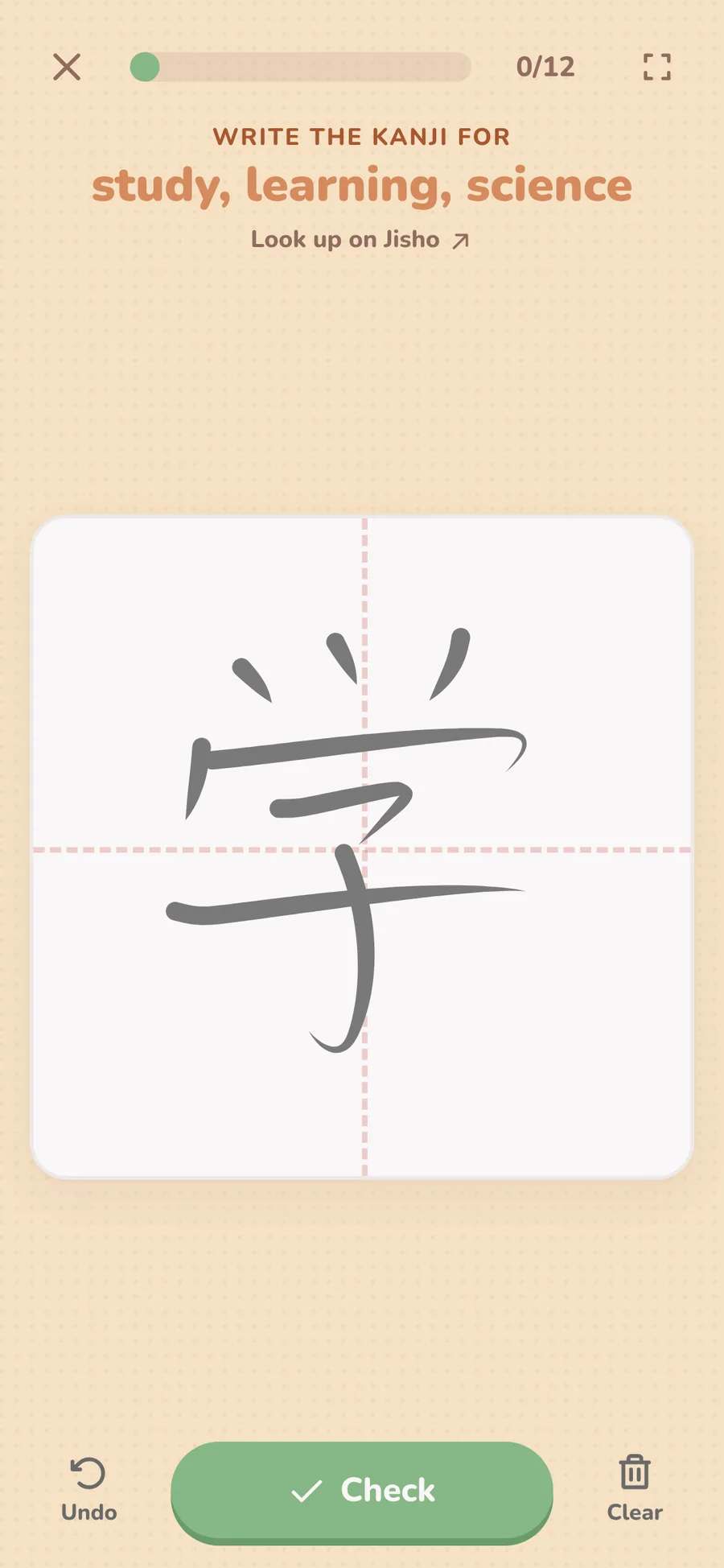
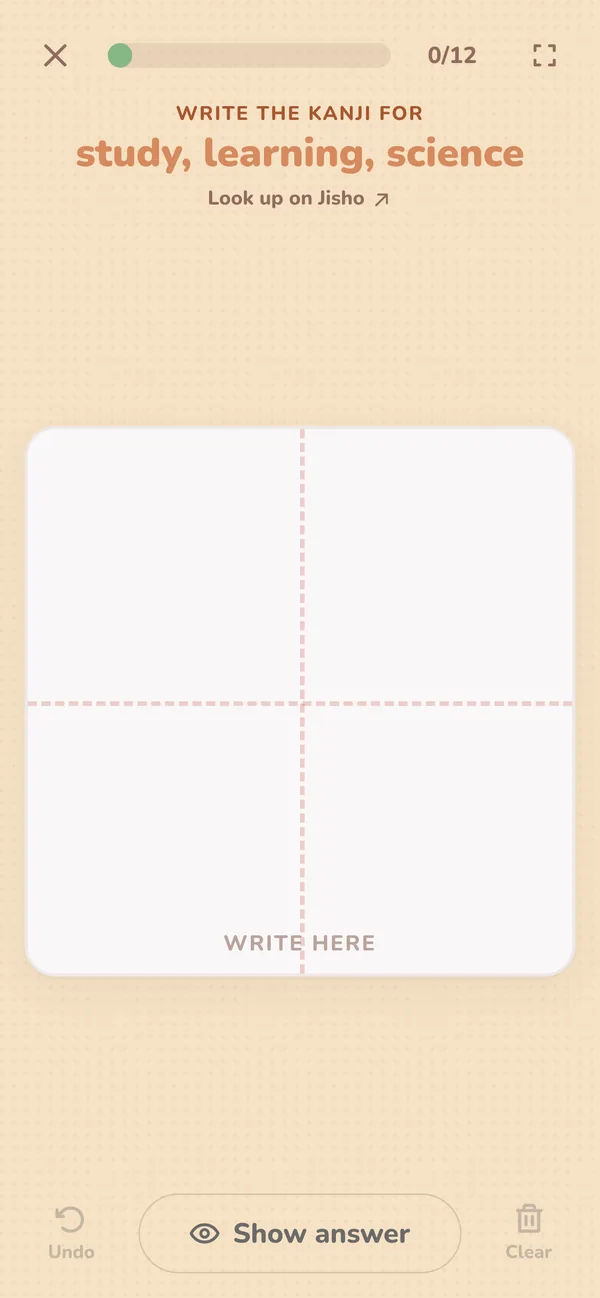
Use your finger, a stylus or a mouse. Every stroke comes from your head, not from the screen.
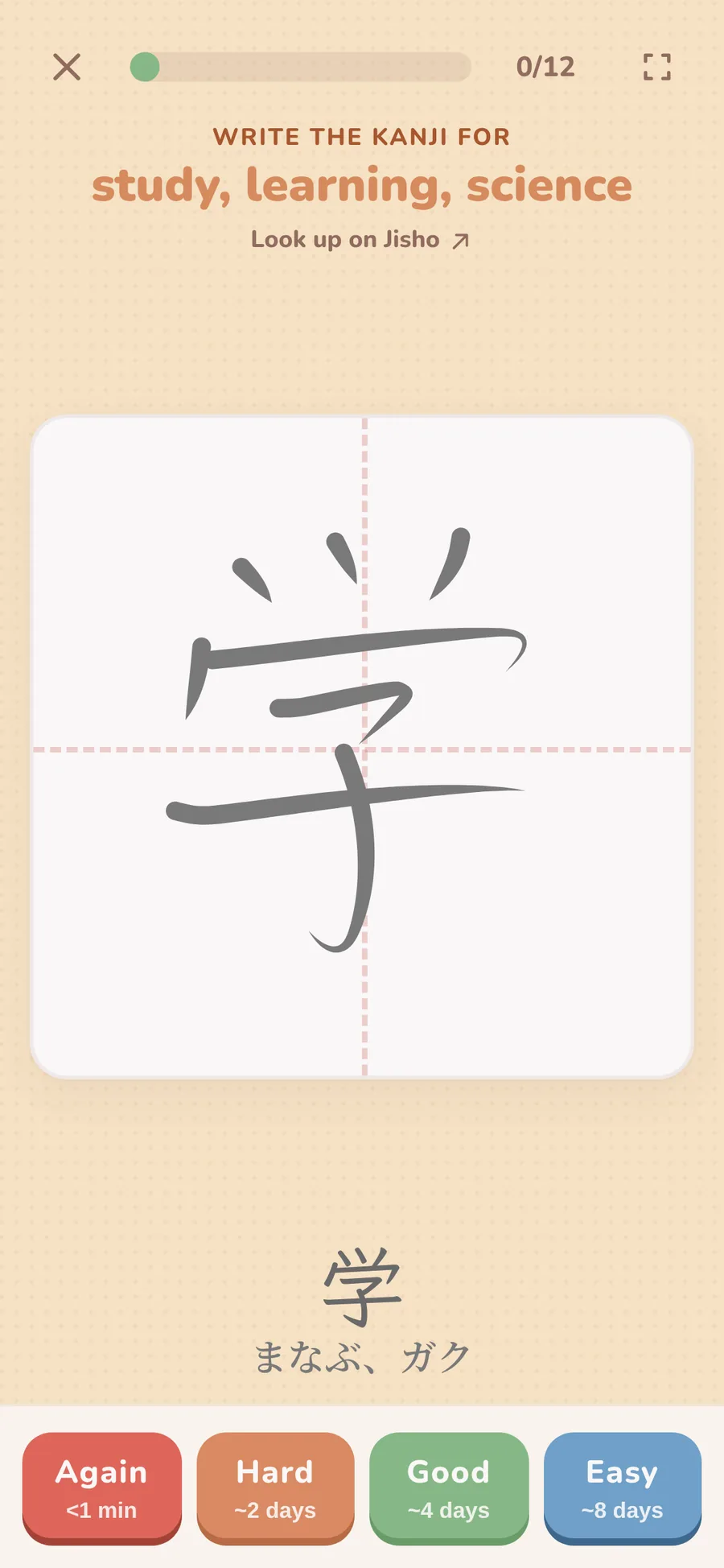
Compare your kanji with the answer, then tap Again, Hard, Good or Easy.
Spaced repetition brings each kanji back right before you’d forget it. Hard ones come back sooner.
This is a real Kibikaku card. Draw the kanji in the box with your finger or mouse, then check your answer.
2,211 kanji in ready-made decks, one per level, ordered from the most common kanji first. Start with N5 for free and unlock the rest with Pro.
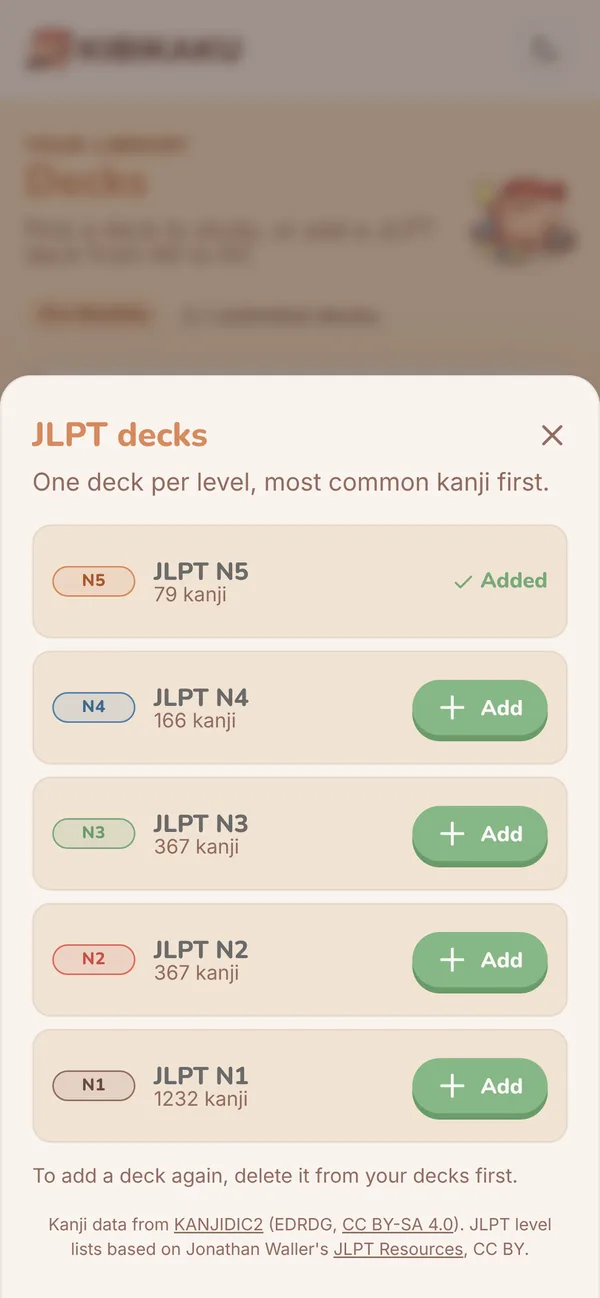

With Pro, build a deck from your textbook’s word list. Add words one by one, or fill in the .xlsx template and upload the whole lesson at once. Cards can hold a single kanji or words up to 12 characters.
Kanji data from KANJIDIC2 (EDRDG, CC BY-SA 4.0). JLPT level lists based on Jonathan Waller’s JLPT Resources, CC BY.
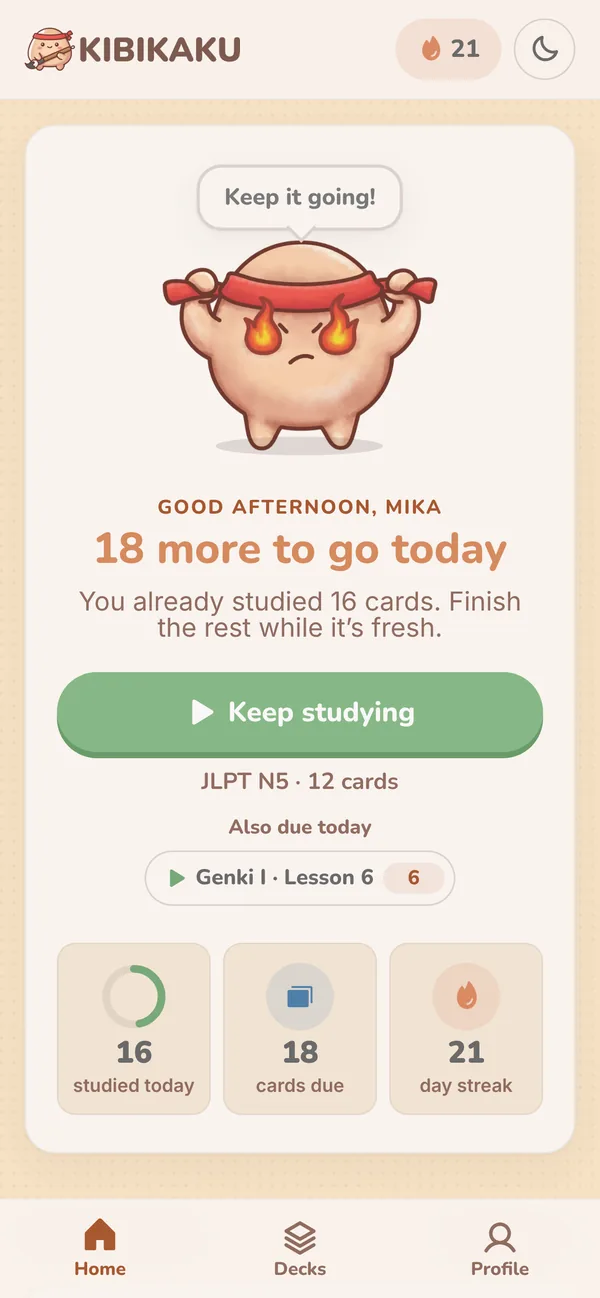
Short sessions, clear progress and a mascot who notices when you show up.
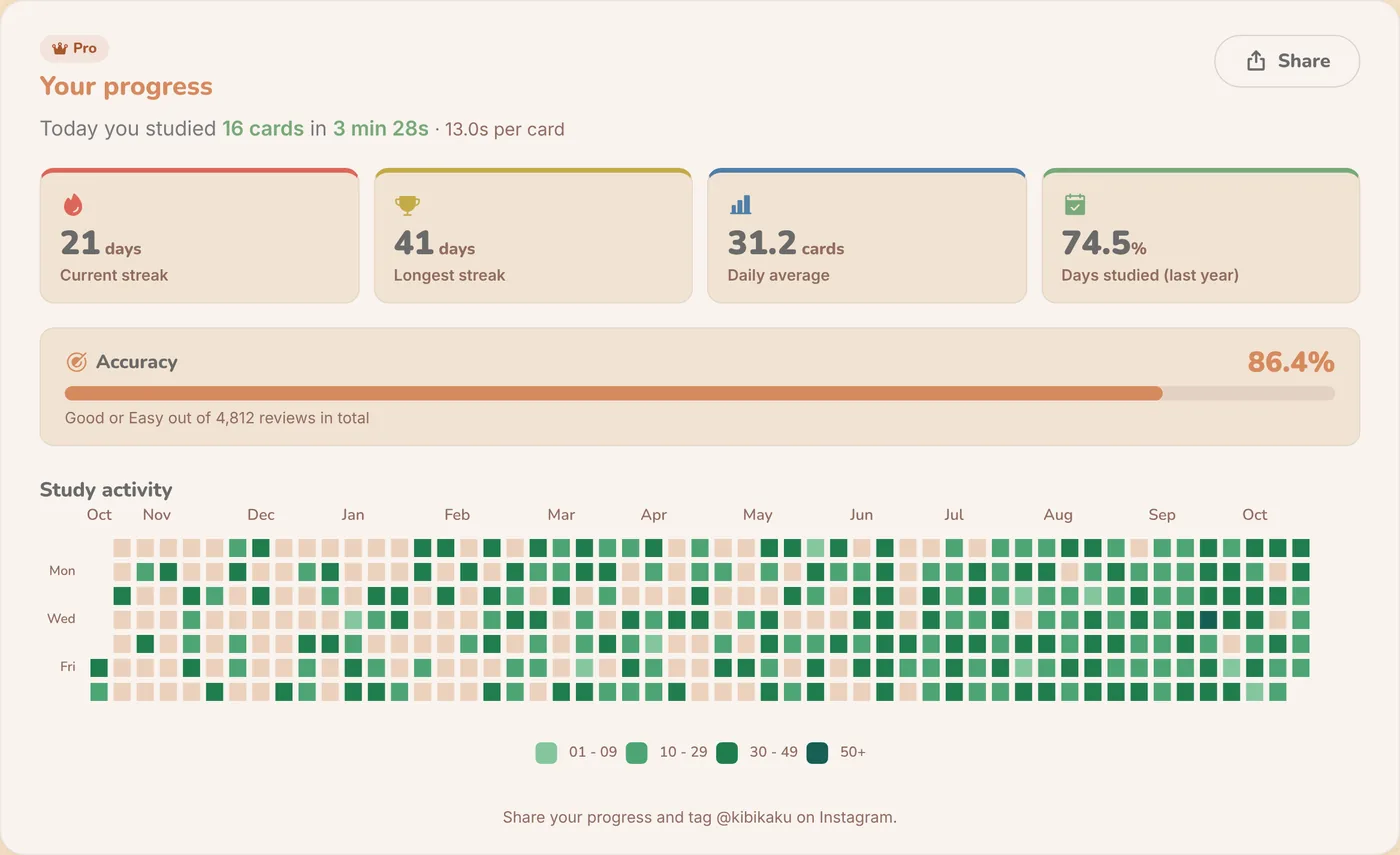
A study heatmap for the whole year, streaks, daily average and accuracy. Share it on Instagram when you hit a milestone.
Easy on the eyes, with the same practice box and the same ink.
Install it on your phone or computer and review your due cards on the train. Progress syncs when you’re back online.
Every card links to Jisho.org, so you can check the stroke order, radicals and example words.
No handwriting recognition, on purpose. Comparing your strokes with the answer is how you learn to spot your own mistakes.

Combos, perfect sessions and day streaks. Small wins that make you come back tomorrow.
The JLPT N5 deck is free forever. Pro unlocks N4 to N1, your own decks and detailed stats.
$0/ forever
Everything you need to start writing.
$3.99/ month
Every level, cancel anytime.
$39.99/ year
Two months free compared to monthly.
$129one-time
Pay once, keep Pro forever.
Prices in USD. Turn off renewal of monthly or annual Pro anytime in your account.
Kibikaku is a kanji writing practice app for Japanese learners. You write each kanji from memory on your screen, check it against the answer, and a Spaced Repetition System (SRS) schedules your next review. It includes JLPT N5–N1 decks, runs in any browser, installs on iPhone, Android and desktop, and works offline.
Yes, that’s exactly the gap Kibikaku was built for. Recognition-based study, like WaniKani, multiple-choice apps or Anki reading cards, trains you to recognize kanji, not to produce them. Kibikaku shows you the meaning and reading, and you write the kanji from memory. It works well alongside the tools you already use.
Anki is a general-purpose flashcard tool, and multiple-choice apps only ask you to pick the right answer. Both train recognition. Kibikaku is built only for kanji writing: you write every card by hand on your screen, compare it with the answer and rate yourself, so you practice recall, the skill you need to write.
It’s a study method that schedules each review at growing intervals. Instead of cramming, you see difficult kanji more often and easy ones less often, and each one comes back right before you would forget it.
Yes. Kibikaku includes ready-made kanji decks for every JLPT level, from N5 to N1 (2,211 kanji), ordered from the most common kanji. The Free plan comes with the JLPT N5 deck (79 kanji), ready to study right after you sign up. With Pro you unlock N4 to N1 and can also build your own custom decks, with anything from a single kanji to words up to 12 characters.
Yes, on the Pro plan. You can add words one by one, or download the .xlsx template inside the app, fill it with your textbook’s word list and upload it to create a whole deck at once.
Kibikaku is a reinforcement tool. It works best with kanji you’ve already met in your textbook or classes: writing them from memory moves them from short-term to long-term memory.
No, and that’s by design. You write the kanji from memory, reveal the answer and judge your own writing. Retrieval practice is one of the best-supported techniques in learning research, and comparing your strokes with the correct character trains you to spot missing radicals and wrong proportions yourself.
Every card has a link to Jisho.org, where you can check the stroke order, radicals and example words for that kanji.
Yes. Kibikaku works on any device, but a larger screen makes handwriting more comfortable. Whether you use a stylus or your finger, more room to write gives you the best practice sessions.
Kibikaku is a web app that you can install on your phone or computer. On Android and desktop Chrome, use the Install button in the app or your browser’s install option. On iPhone, use Safari’s “Add to Home Screen.” Once installed, it opens like a native app, and you can keep studying your due cards without an internet connection. Your progress syncs when you’re back online.
Yes. Alongside the monthly and annual plans, Kibikaku Pro Lifetime is a single payment of $129 that unlocks every JLPT deck (N5 to N1), unlimited custom decks and cards, and detailed statistics forever, with no recurring fees.

Sign up free and write your first JLPT N5 kanji in under a minute. No credit card, no download.
Start writing for free